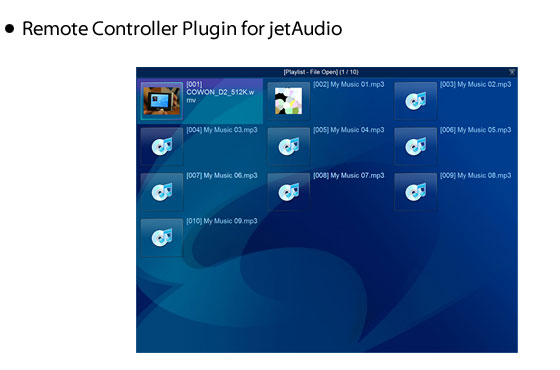
You can control jetAudio using MCE (Microsoft Media Center)
remote controller. jetAudio supports MCE compatible remote
controller or Streamzap remote controller.
| [* Guide when using remote controller] |
| If you want to change settings in Navigator
window, go to Preferences dialog box, then choose Advanced
-> General item in left window. Select "Remote
Controller Plugin" then Config button. |
 |
| (for MCE remote controller) |
| - |
GUIDE button : Display Navigator window |
| - |
MUTE button : Delete a file in Navigator window |
| - |
MORE button : Sort files (Navigator) or change audio
(DVD playback) |
| - |
BACK button : Refresh (Navigator) |
| - |
RECORDED TV button : Switch to File Mode |
| - |
DVD MENU button : Switch to Disc Mode (when stopped)
or display DVD menu screen (while playing DVD) |
| - |
CH +/- button : Switch to next/previous album/playlist |
| - |
LIVE TV button : Change subtitle (DVD playback) |
|
| (for Streamzap remote controller) |
| - |
MENU button : Display Navigator window |
| - |
MUTE button : Delete a file in Navigator window |
| - |
RED button : Sort files (Navigator) or change audio
(DVD playback) |
| - |
GREEN button : Refresh (Navigator) or change subtitle
(DVD playback) |
| - |
YELLOW button : Switch to File Mode |
| - |
BLUE button : Play disc (when stopped) or display menu
(DVD playback) |
| - |
CH +/- button : Switch to next/previous album/playlist |







 jetAudio 8


 Overview