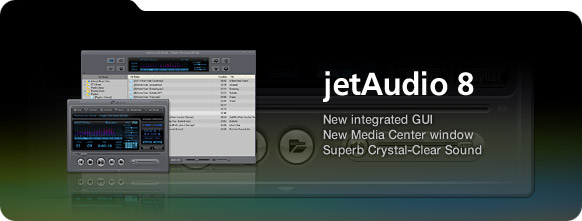
What's
New in jetAudio 7 |
 |
| |
New Media Center window |
| |
- |
Device manager |
| |
- |
Tag and image editing |
| |
|
- Convenient tag editing
|
| |
|
- Editing tags and images from multiple files
|
| |
Powerful audio/video play & conversion |
| |
Multifunctional toolbar |
| |
MCE (Microsoft Media Center) compatible Remote controller
support * |
| |
Additional features |
| |
- |
Repeat A<->B |
| |
- |
Bookmark |
| |
- |
Bookmark menu is shown when clicking click time information in jetAudio
window. |
| |
- |
History (Resume) |
| |
- |
History menu is shown when clicking click track number in jetAudio
window. |
 |
| |
[* Guide when using remote controller] |
| |
If you want to change settings in Navigator window,
go to Preferences dialog box, then choose Advanced -> General item
in left window. Select "Remote Controller Plugin" then Config
button. |
 |
| |
(for MCE remote controller) |
| |
- |
GUIDE button : Display Navigator window |
| |
- |
MUTE button : Delete a file in Navigator window |
| |
- |
MORE button : Sort files (Navigator) or change audio (DVD playback) |
| |
- |
BACK button : Refresh (Navigator) |
| |
- |
RECORDED TV button : Switch to File Mode |
| |
- |
DVD MENU button : Switch to Disc Mode (when stopped) or display
DVD menu screen (while playing DVD) |
| |
- |
CH +/- button : Switch to next/previous album/playlist |
| |
- |
LIVE TV button : Change subtitle (DVD playback) |
 |
| |
(for Streamzap remote controller) |
| |
- |
MENU button : Display Navigator window |
| |
- |
MUTE button : Delete a file in Navigator window |
| |
- |
RED button : Sort files (Navigator) or change audio (DVD playback) |
| |
- |
GREEN button : Refresh (Navigator) or change subtitle (DVD playback) |
| |
- |
YELLOW button : Switch to File Mode |
| |
- |
BLUE button : Play disc (when stopped) or display menu (DVD playback) |
| |
- |
CH +/- button : Switch to next/previous album/playlist |